
When Emails Stop Landing: A Deliverability Fix at Scale
Email marketing only works if the emails actually arrive.
That sounds obvious, but it is a problem that quietly undermines a surprising number of email programs. The symptoms show up in the data — open rates that do not match expectations, campaigns that generate less response than they should, clients who are not seeing the return on investment that the platform or program promised. The cause is often not the content, the timing, or the audience. It is deliverability.
This is the story of a project that addressed that problem across approximately 40 client domains in about five weeks.
The Problem
A marketing program built around email as a primary channel was not delivering the results clients expected. Campaigns were being sent. Reports showed they were going out. But a closer look at the data revealed the issue: a meaningful portion of emails were being flagged as spam or rejected outright before they ever reached an inbox.
The root cause was authentication. Gmail, Outlook, and other major email providers had been moving toward stricter enforcement of three foundational email authentication standards: SPF, DKIM, and DMARC. Without proper configuration of these DNS records, email providers have no reliable way to verify that a message is legitimately coming from the domain it claims to represent. Messages that fail authentication get flagged, filtered, or blocked.
The result was a direct hit to the ROI of the email program. Clients were not getting the results they needed, and the core value proposition of delivering a turnkey email marketing that works was being undermined by a technical gap that had nothing to do with strategy or content.
What SPF, DKIM, and DMARC Actually Do
For readers who are less familiar with the technical side, a brief explanation is worth including here.
SPF (Sender Policy Framework) is a DNS record that tells email providers which servers are authorized to send email on behalf of your domain. If an email arrives from a server that is not on that list, providers treat it with suspicion.
DKIM (DomainKeys Identified Mail) adds a cryptographic signature to outgoing emails that receiving servers can verify. It confirms that the message was not altered in transit and that it genuinely originated from an authorized sender.
DMARC (Domain-based Message Authentication, Reporting, and Conformance) ties SPF and DKIM together and tells receiving servers what to do when a message fails authentication: quarantine it, reject it, or let it through. It also provides reporting back to the domain owner on authentication failures.
All three records need to be properly configured in the DNS settings for a domain. When they are missing or misconfigured, the consequences for deliverability can be significant. When they are properly in place, they signal to email providers that a message is legitimate — which dramatically improves the odds that it lands in an inbox rather than a spam folder.
The Approach
With approximately 40 client domains to address, the first challenge was visibility. Before anything could be fixed, the current state of each domain needed to be known at a glance.
To solve this, a custom Google Sheet was built using Google Apps Script to query DNS records in real time. Each domain had its own row. Separate columns tracked the status of SPF, DKIM, and DMARC independently, updating automatically so the current compliance state of every domain was visible without manual lookups. The dashboard became the operational backbone of the project — a single source of truth that made it immediately clear which domains were compliant, which were partially configured, and which needed immediate attention.
With that visibility in place, outreach began across all 40 client contacts. This was where the project became as much a communication challenge as a technical one.
Some contacts were technical — developers or IT staff who understood DNS and could implement records themselves once provided with the correct values. For those clients, the conversation was direct: here are the records you need, here is where they go, here is how to verify they are working.
Other contacts had little or no technical background. For those clients, the approach shifted. Explanations were kept simple and practical, focused on what the problem was causing rather than how DNS works. Step-by-step guidance was provided through their specific hosting interface, and follow-up checks confirmed that records were correctly implemented before moving on.
The goal throughout was to meet each client where they were, not to apply a single approach across a varied group of contacts with different levels of technical expertise and different organizational priorities.
The Outcome
Within approximately three weeks, the majority of client domains reached full compliance across SPF, DKIM, and DMARC. By the end of five weeks, 97% compliance had been achieved across all 40 domains.
The remaining 3% reflected a small number of situations that were outside of direct control — unresponsive contacts, competing organizational priorities that delayed implementation, or technical limitations on specific hosting environments that required more complex solutions than the standard implementation path.
For the clients who reached compliance, deliverability improved measurably. Emails that had been landing in spam folders or being blocked were now reaching inboxes. The email marketing program began performing the way it was designed to perform, and the ROI that clients had been promised became achievable again.
What This Project Demonstrates
Two things stand out from this project as worth carrying forward.
The first is that email deliverability problems are often fixable. If your email campaigns are underperforming — if open rates are low, if response is lower than expected, if something feels off about how the program is performing — authentication is one of the first places to look. SPF, DKIM, and DMARC configuration issues are common, they are diagnosable, and they are solvable. The fix does not always require a significant investment of time or money. It requires knowing where to look and how to address what you find. This doesn't apply only to email marketing, either. The same deliverability issues can happen on one-to-one emails if a custom domain is not properly configured.
The second is that solving a technical problem at scale across a diverse group of stakeholders requires more than technical knowledge. It requires the ability to assess what each stakeholder needs, communicate at their level, and keep a complex multi-contact project moving toward resolution without losing momentum. The dashboard made the problem visible. The communication made the solution possible.
Speak LLC provides web strategy, SEO, and digital marketing consulting for organizations that want their digital presence to work harder. If you are dealing with email deliverability challenges or other digital performance issues, we would be glad to talk.


Migrating a Legacy News Archive to Wordpress
How a multi-phase CMS migration preserved 15 years of online journalism, solved platform security issues, and delivered a faster, more modern publishing experience for a national news organization.
Project Snapshot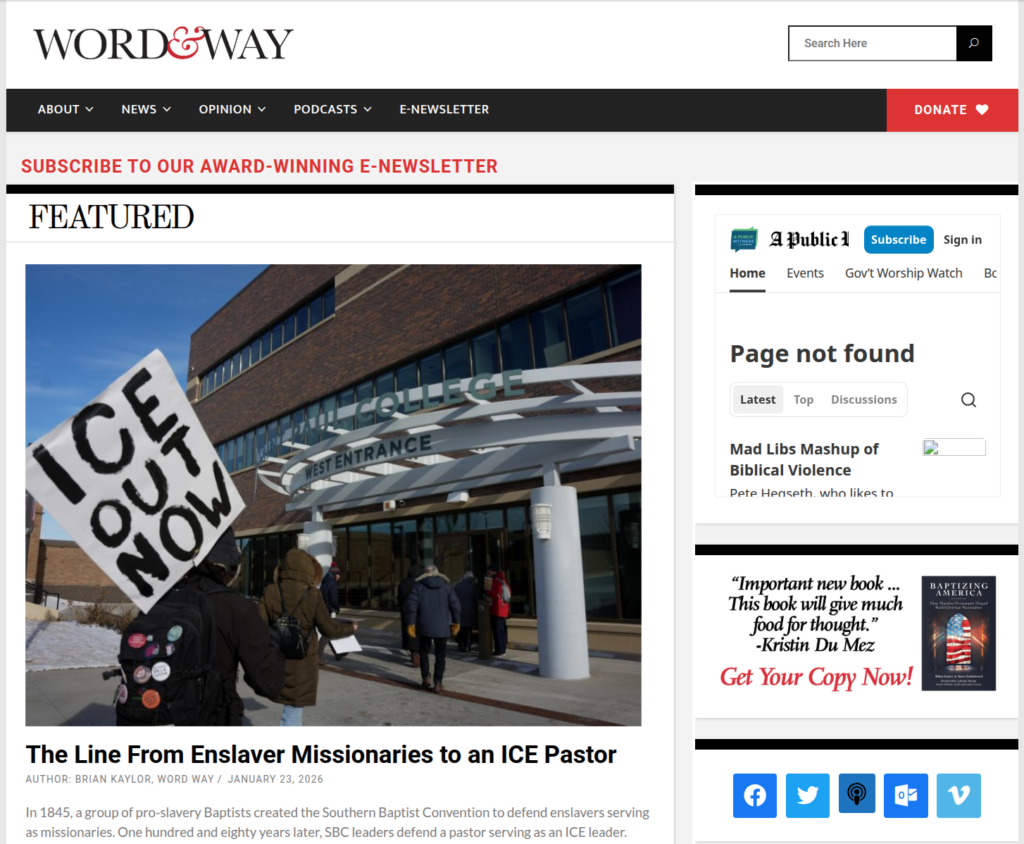
Word&Way is a national news organization with roots dating back to 1896 that has been publishing original journalism online nearly every day since the early 2000s. When I started working with them, their site was running on Joomla 1.0, a content management system that had already reached end of life. The platform was inherited from a previous developer, and over the years it had accumulated nearly 7,000 articles and 8,000 media items dating back to 2004. Moving all of that to WordPress — without losing a single article, breaking a single link, or creating a gap in their daily publishing operation — was the challenge.
The project ran approximately six months from planning through launch. The site has been running on WordPress since January 2019. Word&Way remains a current client today.
View the live site at wordandway.org →
Why the Migration Needed to Happen
Three problems were converging at once, and none of them were going away on their own.
The most pressing was security. Joomla 1.0 had been unsupported for years, which meant no patches, no updates, and a growing attack surface for a site that publishes daily and relies on its credibility. Running a public-facing news site on an end-of-life platform is a real risk, not just a theoretical one.
The second problem was the user experience. The site had never been redesigned for mobile. In an era when the majority of readers consume content on their phones, Word & Way's site was still built for a desktop world that no longer existed. A responsive redesign was overdue.
The third problem was performance. Years of content growth, combined with aging architecture and a third-party publishing plugin, had created significant load time issues. The site was slow, and slow sites lose readers.
Any one of these would have been a reason to act. Together, they made the case for a full platform migration unavoidable.
The Technical Challenge
Migrating from Joomla 1.0 to WordPress is not a one-step process. There is no direct migration path between those two platforms. Getting the content from point A to point B required moving it through an intermediate stage first.
The migration tools that exist to move content from Joomla to WordPress are built for Joomla 1.5, not Joomla 1.0. So before any content could move to WordPress, it first had to move from Joomla 1.0 to Joomla 1.5. Only after that intermediate migration was complete could the content be transferred into WordPress. That made this a three-platform project spanning two distinct migration phases before we ever reached the final destination.
The K2 plugin in use for publishing added another layer of complexity. K2 is a third-party content component that many Joomla publishers used to manage articles, categories, and media. It stores content differently than Joomla's native content architecture, which meant the migration tools could not simply map K2 content to WordPress posts in a clean, automated way. Additional steps were required to account for how K2 structured its data before it could be translated into WordPress's content model.
Even with the right tools and the right sequence, the database still required manual intervention. After each phase, I worked directly in MySQL to update media URLs, reformat database fields for compatibility between the platforms, and resolve issues that automated tools could not handle cleanly. This kind of work requires a precise understanding of how each platform stores and references content in its database, and a willingness to work at a level of detail that goes well beyond what migration plugins can automate.
Planning for a Live Publishing Operation
One of the most important decisions we made early in the project was where to implement content freezes. Word&Way publishes original journalism nearly every day. That means the content in the database is a moving target. Every new article published during a migration phase is an article that either needs to be migrated again or migrated manually after the fact.
We planned content freeze windows at critical transition points in the migration sequence. These were short periods where the team paused new publishing so that the database snapshot I was working with was stable. This discipline significantly reduced the amount of manual catch-up work after each phase and kept the project on a predictable timeline.
It also required clear communication with the Word & Way team throughout the project. They needed to understand what was happening at each stage, when freezes were needed, and what they could expect when the new site launched. Keeping a small editorial team informed and confident during a six-month migration of their primary publishing platform is its own kind of project management challenge.
Protecting Search Equity
A news organization with 15 years of published content has accumulated real search equity. Articles rank in Google. Readers bookmark specific pages. Other sites link to specific stories. Every one of those links points to a Joomla URL, and Joomla URLs look nothing like WordPress URLs.
Without a redirection plan, every one of those inbound links would return a 404 error after launch. That is not just a bad user experience. It is a significant loss of search authority built up over years of consistent publishing.
I developed a comprehensive redirect plan that mapped the old Joomla URL structure to the new SEO-friendly WordPress permalink structure. Every article, every category page, and every archive URL got a redirect. Testing and verifying the redirect implementation was a meaningful phase of the project on its own, requiring systematic spot-checking across article categories, date archives, and legacy URL patterns to confirm that traffic and search equity were flowing correctly to the new URLs.
Media Verification
Migrating 8,000 media items alongside 7,000 articles means there are a lot of places where something can break quietly. An article can migrate successfully and still display a broken image if the media reference in the database points to the wrong path, uses the wrong URL format, or references a file that did not transfer cleanly.
After launch, I conducted systematic testing and troubleshooting across the site to verify that media was loading correctly. This included checking articles across different date ranges and categories, testing on multiple browsers to catch compatibility issues, and resolving the styling and display inconsistencies that surfaced in the days after go-live. Post-launch adjustments are a normal part of any migration of this complexity. The goal is to surface and resolve them quickly so they do not affect the reader experience for long.
The Outcome
Word & Way launched on WordPress in January 2019 with a fully responsive, mobile-first design, a faster and more stable platform, and their entire archive intact. The editorial team was able to begin publishing in WordPress immediately after launch. The transition from their perspective was clean.
The performance improvement was noticeable. Moving from aging Joomla infrastructure to a properly configured WordPress environment on modern hosting resolved the load time issues that had been building for years. The security concerns that come with running an end-of-life platform went away with it.
Since the initial migration, the site has continued to grow. The archive now includes more than 10,500 articles and 12,000 media items. Word & Way has upgraded servers twice since the WordPress launch, and I handled both of those server migrations as well. The ongoing relationship includes site maintenance, performance and SEO monitoring, and technical support when issues arise.
What This Project Demonstrates
Large-scale content migrations require more than technical skill. They require careful sequencing, honest planning about what the tools can and cannot do, and close coordination with the client throughout a process that touches the core of how their organization operates. The Word&Way migration worked because the client collaboration, technical execution, and the project management were treated with equal seriousness.
The site has been running cleanly for more than six years. That is the outcome that matters.
Capabilities Demonstrated
- Multi-phase CMS migration planning and execution
- Joomla to WordPress migration (including legacy Joomla 1.0 environments)
- MySQL database management and manual data editing
- Third-party plugin content migration (K2)
- 301 redirect planning and implementation for SEO preservation
- WordPress theme design and responsive site development
- Media library migration and verification
- Server migration and hosting configuration
- Cross-browser compatibility testing and post-launch troubleshooting
- Long-term site maintenance, performance monitoring, and SEO oversight
Let's talk about what success looks like for your complex web project.

Launching a Consulting Website in Under 2 Weeks That Helped Land Early Contracts - Fast WordPress Development
JET Slate Consulting — slatewithjet.com
Client: JET Slate Consulting
Website: slatewithjet.com
Industry: Higher Education Technology Consulting
Platform: WordPress / Divi
Timeline: Under 2 Weeks
Project Type: New Website Build, Hosting Setup, Email Configuration, Fast Wordpress Development
Project Overview
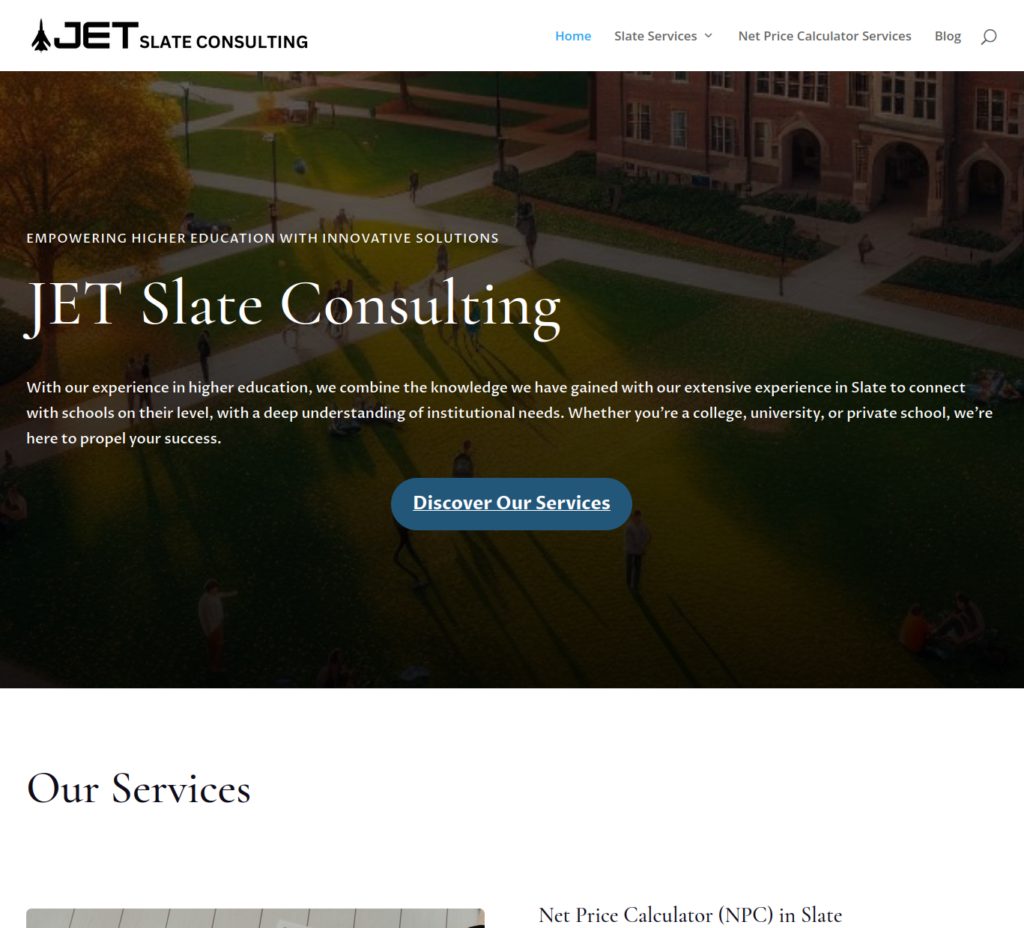
JET Slate Consulting is a specialized consultancy founded by Jeremiah Tudor, a higher education professional with deep expertise in Slate CRM — a popular platform used by colleges and universities to manage admissions, student success, and advancement operations. As a new business venture, JET Slate Consulting needed a professional web presence immediately to support active business development conversations and establish the credibility necessary to win contracts with higher education institutions.
The project included complete WordPress website development using Divi, hosting and server configuration, professional email setup with full deliverability configuration, SEO implementation, and conversion-focused contact forms — all delivered in under two weeks from project kickoff to launch.
The Challenge
Launching a consulting business in higher education presents a unique credibility challenge. Colleges and universities are risk-averse institutions. Before a contract is signed, decision-makers will look up a vendor. A missing or unprofessional web presence can end a conversation before it starts.
Key challenges included:
- No existing website, domain, or digital presence
- Active business development conversations already underway — time was critical
- Need for a site that conveyed expertise and professionalism to institutional clients
- Professional email setup required for credible outreach — generic Gmail addresses don't instill confidence
- Email deliverability configuration needed to ensure messages reached inboxes, not spam folders
The window between "we need a website" and "we have a meeting" was short. Execution speed was everything.
Strategy
The strategy focused on two priorities: launch fast and look credible from day one.
1. Rapid WordPress Build on Divi
Rather than spending weeks in discovery and wireframes, the project launched immediately with a clear scope: the client provided the copy, Speak handled everything else. This division of labor allowed the build to move at maximum speed without sacrificing quality.
2. Professional Email Infrastructure
A website alone isn't enough. For a consultant reaching out to university administrators, email credibility matters. Full email service configuration included:
- SPF (Sender Policy Framework) — authorizes the mail servers permitted to send on behalf of the domain
- DKIM (DomainKeys Identified Mail) — adds a cryptographic signature to outgoing email to verify authenticity
- DMARC (Domain-based Message Authentication, Reporting & Conformance) — instructs receiving mail servers how to handle messages that fail authentication
This configuration ensures professional emails land in inboxes — not spam folders — and signals to recipients that the sender is a legitimate, established operation.
3. SEO and Conversion Foundation
Even at launch, the site was built with search visibility and lead capture in mind:
- Targeted SEO keywords relevant to Slate CRM consulting and higher education technology
- Clear service pages structured for both human readers and search engines
- Contact forms optimized for inquiry conversion
- Navigation designed around the decision-making journey of a university administrator
Execution
The complete project scope delivered in under two weeks included:
- WordPress installation and Divi theme configuration
- Full website buildout across all service pages
- Client-provided copy integrated with SEO keyword optimization
- Contact form setup and testing
- Hosting environment provisioning and configuration
- Domain and DNS setup
- Professional email configuration (SPF, DKIM, DMARC)
- Pre-launch QA and performance checks
Results
JET Slate Consulting launched with a professional web presence that could stand up to scrutiny from institutional decision-makers — and it delivered quickly.
Site live in under 2 weeks from project kickoff
Professional email infrastructure in place from day one — full SPF, DKIM, and DMARC configuration
Website played a direct role in securing early client contracts shortly after launch
Established immediate credibility with higher education institutions evaluating the consultancy as a vendor
For a new business where every conversation is a potential contract, speed to credibility is everything. Speak delivered both.
Key Capabilities Demonstrated
- Rapid WordPress website development
- Divi theme buildout and customization
- Professional email service configuration (SPF, DKIM, DMARC)
- Hosting and DNS setup
- SEO keyword integration
- Conversion-focused contact form design
- Fast-turnaround new business launches
About the Client
JET Slate Consulting provides Slate CRM implementation, customization, training, and consulting services to colleges, universities, and private schools across the United States. Founded by Jeremiah Tudor, a higher education professional with nearly a decade of Slate expertise, the consultancy serves institutions looking to optimize admissions, student success, and advancement operations.
Need a Website Fast?
If you're launching a new business and need a professional website that's ready to support real business conversations — not someday, but now — Speak can get you there.

High-Traffic WordPress Migration Case Study | BaptistNews.com Hosting Upgrade
Migrating a High-Traffic Journalism Platform to Scalable Infrastructure
BaptistNews.com
Client: BaptistNews.com
Industry: Digital Journalism
Platform: WordPress
Traffic Volume: ~5.7M monthly impressions
Project Type: Hosting Strategy & WordPress Infrastructure Migration
Project Overview
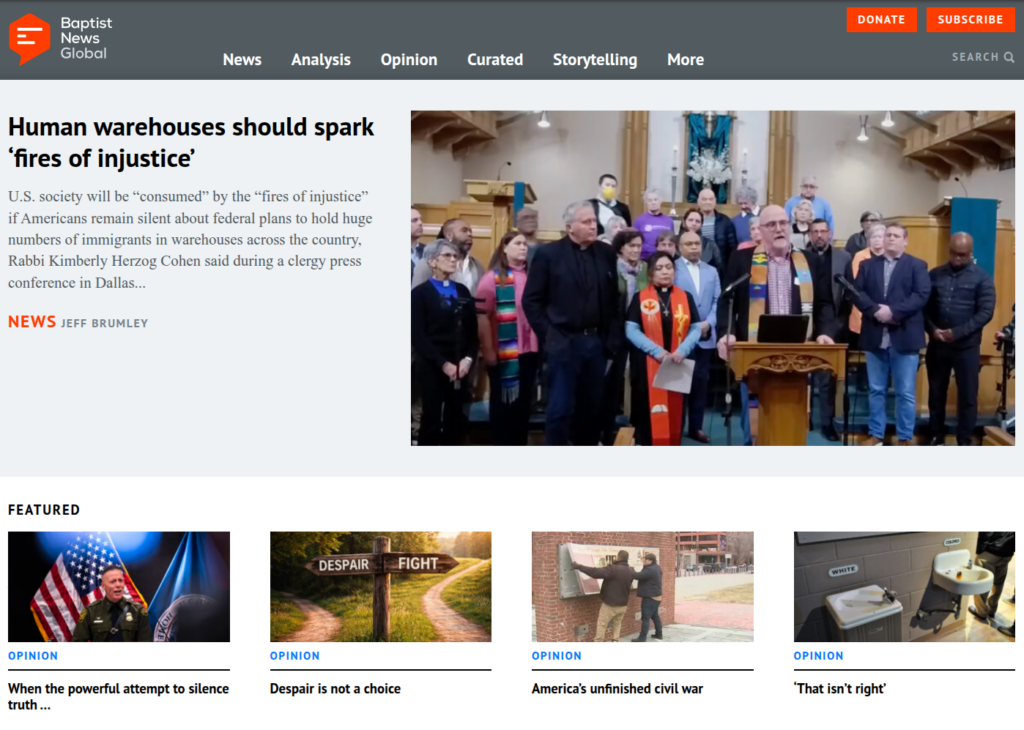
BaptistNews.com is a national digital journalism platform publishing reporting, commentary, and analysis focused on religion, culture, and public life. The publication serves a broad readership across the United States and publishes daily journalism from a network of writers and contributors.
The organization has been a client for more than 15 years, during which time the website has evolved significantly as its audience and digital presence expanded.
As traffic grew to more than 5 million monthly impressions, the publication began reaching the limits of its existing hosting environment. Performance, reliability, and scalability became increasingly important to support ongoing growth.
The objective of this project was to evaluate the site’s infrastructure needs, identify a more appropriate hosting environment, and execute a carefully planned migration of a large WordPress installation while maintaining uptime and accessibility for readers.
The Challenge
High-traffic WordPress websites require reliable infrastructure to maintain performance and availability.
Several factors made this migration particularly important:
• Increasing traffic placing strain on the existing hosting environment
• A large WordPress installation with years of journalism content
• Extensive database and media libraries
• Mission-critical uptime requirements for a daily news platform
• Need to minimize downtime during the transition
Because BaptistNews.com publishes daily journalism, maintaining consistent access for readers was essential throughout the migration process.
Strategy
The migration strategy focused on three key priorities: scalability, reliability, and cost efficiency.
1. Hosting Infrastructure Assessment
A detailed review of the site’s infrastructure requirements was conducted to determine the optimal hosting solution.
Key considerations included:
• Current and projected traffic volume
• Database size and performance requirements
• Storage needs for the large media archive
• Ability to handle traffic spikes from popular articles
• Long-term scalability for continued audience growth
This analysis ensured the new environment would support both the current traffic load and future expansion.
2. Selecting a Managed Dedicated Hosting Environment
After evaluating multiple providers, the selected solution was a fully managed dedicated hosting environment with Namecheap.
This solution provided an effective balance between:
• Dedicated server performance
• Managed infrastructure support
• Reliable uptime
• Cost efficiency
Importantly, the migration not only improved scalability but also reduced the client’s overall hosting costs, providing a stronger infrastructure while lowering operational expenses.
3. Risk-Managed Migration Planning
Migrating a large WordPress installation requires careful sequencing and testing.
The migration plan included:
• Provisioning the new hosting environment
• Transferring the complete WordPress installation
• Staging the website for validation and testing
• Conducting quality assurance checks
• Planning the DNS transition to minimize downtime
This approach allowed the site to be fully tested in the new environment before it went live.
Execution
The migration involved transferring a large and complex WordPress installation containing years of journalism content and media assets.
Server Environment Setup
The new dedicated server environment was provisioned and configured to support the site’s performance needs.
Steps included:
• Dedicated server configuration
• WordPress environment preparation
• Performance optimization
WordPress Data Migration
A complete migration of the WordPress installation was performed, including:
• Core WordPress files
• Theme templates and customizations
• Plugins
• Full database
• Media library
Careful attention was given to preserving data integrity across thousands of articles and media assets accumulated over many years of publication.
Staging and Quality Assurance
Before launch, the website was staged within the new hosting environment to allow full testing.
Quality assurance included:
• Front-end functionality checks
• Media asset validation
• Plugin compatibility testing
• Content rendering verification
• Performance testing
This ensured the site functioned correctly before the final transition.
DNS Transition and Launch
Once testing was complete, the DNS transition was carefully scheduled.
The switchover was planned to minimize downtime and ensure readers could continue accessing the site without disruption.
Results
The project successfully transitioned BaptistNews.com to a more capable hosting infrastructure designed to support continued growth.
Key outcomes included:
Successful migration of a large WordPress data set
Infrastructure capable of supporting ~5.7M monthly impressions with room for traffic growth
Improved hosting reliability and stability
Reduced hosting costs for the organization
Dedicated server environment providing room for future growth
The new hosting environment now provides a stable foundation for the publication’s ongoing journalism and audience expansion.
Key Capabilities Demonstrated
This project highlights expertise in:
WordPress hosting migrations
High-traffic WordPress infrastructure planning
Server environment configuration
Managed hosting evaluation
DNS migration strategy
Large WordPress database migrations
Website performance optimization
Why Infrastructure Matters for High-Traffic WordPress Sites
As websites grow, infrastructure becomes increasingly important to maintain performance and reliability.
Media organizations and high-traffic websites must support large databases, extensive media libraries, and traffic spikes — all while maintaining consistent uptime for readers.
Strategic hosting upgrades and carefully planned migrations allow organizations to scale their platforms without compromising stability or accessibility.
Call to Action
Planning a WordPress Hosting Migration?
If your website is growing and beginning to outgrow its hosting environment, a strategic infrastructure upgrade can significantly improve reliability, scalability, and cost efficiency.
If you’re considering a WordPress hosting migration or infrastructure assessment, I’d be glad to help.

WordPress Website Design for Healthcare Business | Lexington KY Case Study
Launching a Healthcare Website in 60 days That Achieved Top Local Rankings
Hope & Healing Homeopathy — Lexington, Kentucky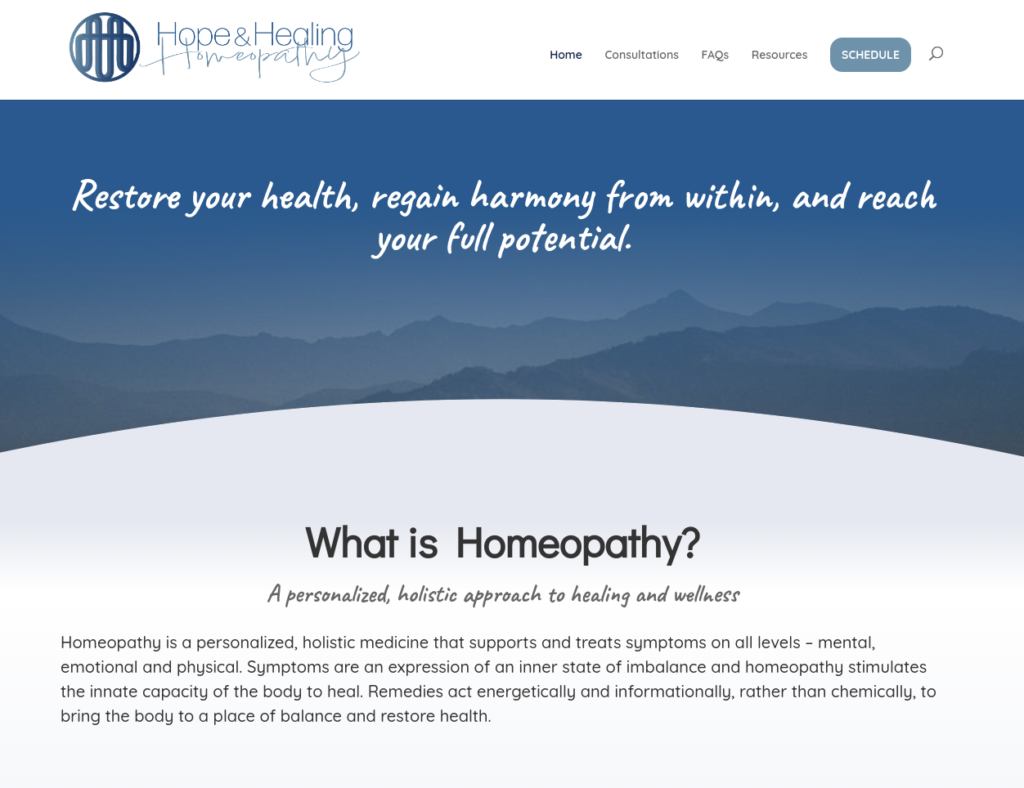
Website: hopeandhealinghomeopathy.com
Industry: Holistic Healthcare / Homeopathy
Location: Lexington, Kentucky
Platform: WordPress
Timeline: 2 Months
Project Overview
Hope & Healing Homeopathy is a new holistic medicine practice providing personalized treatment plans and natural health solutions to clients in Lexington, Kentucky. As a brand-new business with no existing online presence, the primary goal was to launch a professional website quickly while building a strong local SEO foundation to attract new patients.
The project included complete WordPress website development, hosting and server setup, DNS configuration, search engine optimization, analytics integration, and conversion-focused design.
The Challenge
Launching a healthcare website for a new business presents several challenges:
- No existing search engine authority or domain history
- Need for strong trust signals in a medical-adjacent field
- Competitive local search landscape
- Urgent timeline to support business launch
- Requirement for sustainable long-term SEO growth
Because the business depended heavily on local discovery, organic search visibility was critical from day one.
Strategy
The website strategy focused on three pillars:
1. Technical Foundation and Performance
A fast, reliable website improves both user experience and search rankings.
Key actions included:
- Hosting provider evaluation and selection
- Server configuration and optimization
- DNS setup and domain configuration
- Performance tuning and page speed optimization
- Mobile responsiveness and accessibility
2. Conversion-Focused WordPress Design
Healthcare websites must build trust immediately.
Design priorities included:
- Clean, calming visual design aligned with wellness branding
- Strategic calls-to-action for appointment inquiries
- Clear service explanations and patient benefits
- Mobile-first page layouts
- Readable typography and visual hierarchy
- Trust-building content structure
3. Local SEO and Search Visibility
Because the audience was local to Lexington, the SEO strategy focused on geographic intent.
SEO implementation included:
- Keyword research targeting local healthcare searches
- On-page SEO optimization
- Technical SEO configuration
- Schema and metadata setup
- Search engine indexing submission
- Google Analytics integration
- Ongoing monitoring framework
Execution
The website was developed during a two-month build cycle using asynchronous collaboration to maintain efficiency.
Scope included:
- WordPress installation and configuration
- Theme selection and customization
- Custom page design
- CTA design and placement
- Hosting and infrastructure setup
- DNS configuration
- Google Analytics setup
- SEO implementation
- Search engine indexing submission
- Performance optimization and launch support
Results
Despite being a new domain, the website produced strong early outcomes:
- Top-2 Google rankings for select targeted keywords
- Rapid indexing across major search engines
- Strong local search visibility shortly after launch
- Professional online presence supporting credibility
- Optimized conversion pathways for new patient inquiries
The website now provides a scalable digital foundation for long-term business growth.
Key Capabilities Demonstrated
This project highlights expertise in:
- WordPress website design and development
- Local SEO strategy
- Technical SEO implementation
- Hosting and infrastructure setup
- Conversion-focused UX design
- Healthcare website design
- Google Analytics configuration
- Rapid launch execution for new businesses
About the Client
Hope & Healing Homeopathy provides holistic and personalized treatment plans focused on supporting long-term wellness through natural approaches.
Need a WordPress Website for Your Business?
If you’re launching a new business or want to improve your website’s search visibility, I help organizations build fast, optimized WordPress websites designed to convert visitors into clients.